1 · Schedule the work
Build the week once, then let recurring work keep coming back.
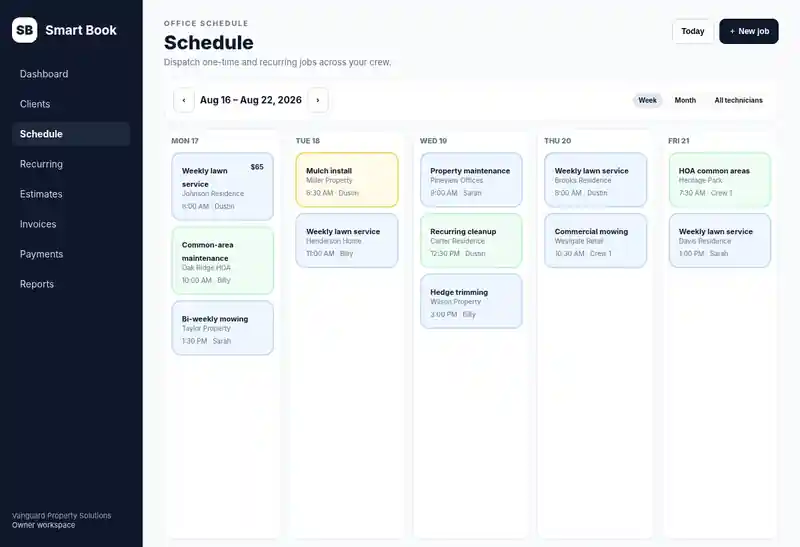
Smart Book keeps one-time and recurring jobs on the same schedule so the office can see the work, assign the crew, and stop rebuilding repeat routes by hand.
No-account product tour
This is a read-only sample workspace: no account, form submission, or payment method is required. Browse Smart Book product screens populated with demo data for the schedule, estimate-to-invoice history, and technician My Day.
Read-only sample workspace
Click a view below. Nothing here writes to a customer account.
1 · Schedule the work
Smart Book keeps one-time and recurring jobs on the same schedule so the office can see the work, assign the crew, and stop rebuilding repeat routes by hand.
1 · Schedule the work
Smart Book keeps one-time and recurring jobs on the same schedule so the office can see the work, assign the crew, and stop rebuilding repeat routes by hand.
2 · Keep call-to-cash connected
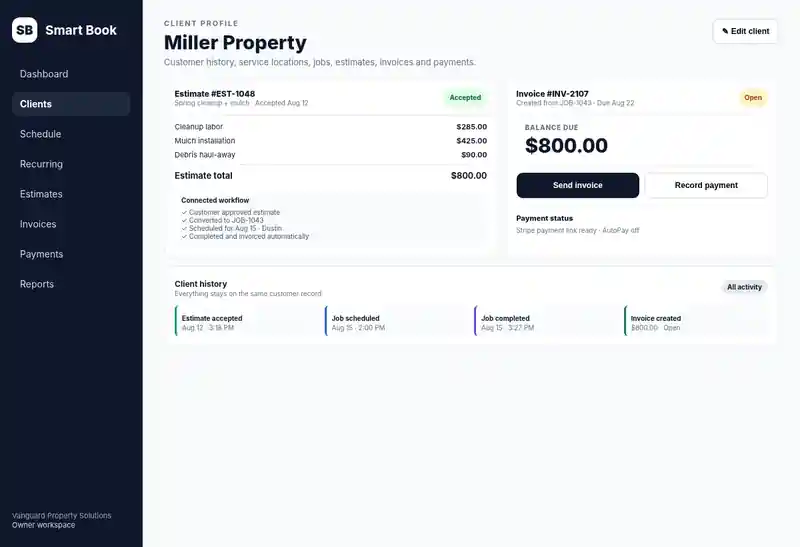
Estimate approval, scheduled work, completion, invoice balance, and payment history stay connected to the same client instead of being rebuilt in separate apps.
3 · Send the crew into the field
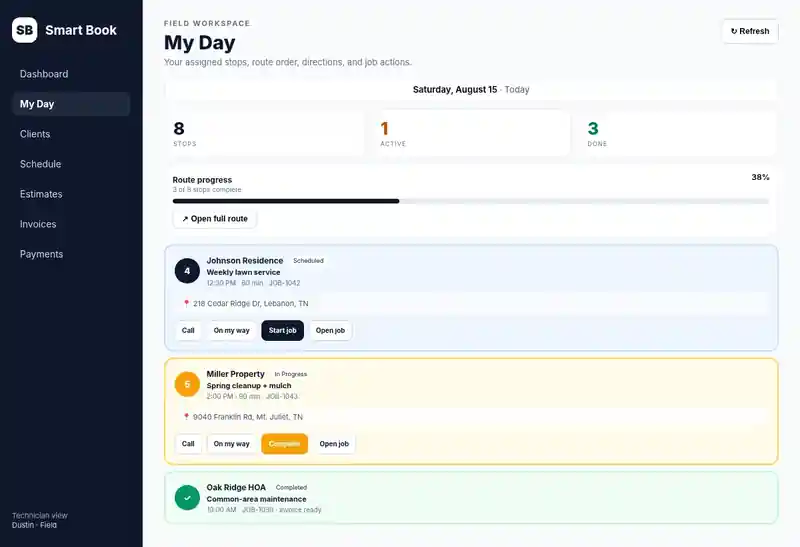
Technicians can see assigned stops, route order, directions, notes, start work, and complete jobs from a phone-focused view while office and financial access stay role-based.
Eligible first-time subscriptions get 7 days free with no credit card required. If you do not add a payment method by trial end, the subscription pauses instead of charging you.